Copy Address
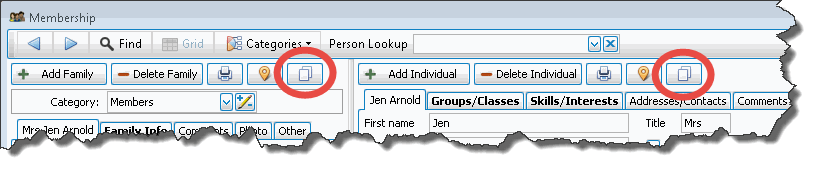
To the right of the Map Address button  in The People File is the
Copy Address button
in The People File is the
Copy Address button  . This allows you to copy an active address in
Church Windows to paste into other software such as a word processing document.
It enables you, for example, to print an envelope with an address on it using another program,
rather than creating a label for an address within Church Windows.
. This allows you to copy an active address in
Church Windows to paste into other software such as a word processing document.
It enables you, for example, to print an envelope with an address on it using another program,
rather than creating a label for an address within Church Windows.
To copy an address:
- Go to the person's Family and Individual Record screen.
- Click the Copy Address to the Clipboard button on either the Family or the Individual side of the screen.
- Open the software program you wish to use and click Edit and Paste.
- Now you can use the address in the manner you need.
- Depending on whether you chose to copy from the Family or Individual record, different information will be copied:
- From The Family Record
- The first line in the address will be the “Mailing Label” field. In many cases, this will read something similar to this: “Mr. and Mrs. Robert Jones.”
- The family address is copied.
- If the family has an alternate address that is active — the From Date and the To Date include the current date — then the Alternate Family Address will be the one copied.
- From The Individual Record
- The first line will be “Title, First / Preferred Name, Middle Name, Last Name and Suffix or whichever of those fields have data in them.
- If only the first and last name have data, the line might read, “Mr. Robert Jones.”
- If all the fields have data, the line might read, “Mr. Bob Allen Jones, III.”
- Preferred First Name will be used if “Use on Reports” is checked and Preferred First Name is filled in on the Individual Record Fields.
- Inclusion of Middle Name is dependent upon the setting of the option in the Membership Settings.
- Title and Suffix will only be included if something is entered into the fields.
- If the individual has an Individual Alternate Address that is active — the From Date and the To Date include the current date — then the Individual Alternate Address will be copied.
- If the Individual Alternate Address is empty or not active, then the Family Address (or Family Alternate Address if active) will be copied.
